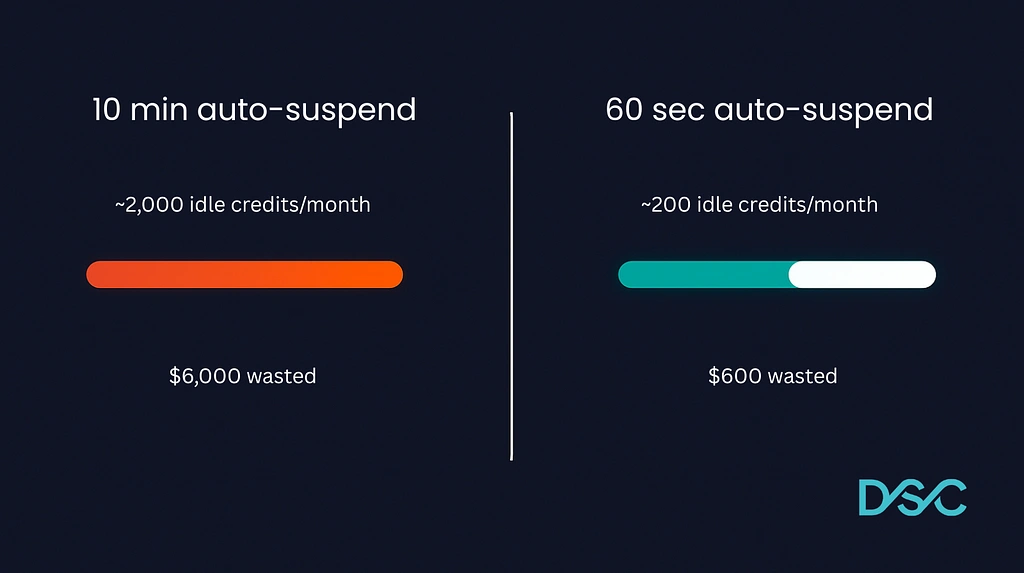
If you set up a Snowflake warehouse in the last few years, auto-suspend is probably still at the default: 5 or 10 minutes. Both are too long for most workloads.
A Medium warehouse costs 4 credits/hour. At 10-minute auto-suspend, every idle event burns up to 0.67 credits before it shuts down. A BI-serving warehouse that resumes 30–40 times a day can rack up meaningful waste. Multiply that across 5–10 warehouses and you’re looking at thousands of dollars a month in idle compute.
That number will vary. Warehouses don’t always sit idle for the full timer. But even at half the theoretical max, it’s money spent on nothing.
Find your idle waste
This query estimates how many credits you’re burning while no queries are running:
sql
WITH warehouse_usage AS (
  SELECT
    wmh.warehouse_name,
    wmh.start_time,
    wmh.credits_used,
    wlh.avg_running
  FROM SNOWFLAKE.ACCOUNT_USAGE.WAREHOUSE_METERING_HISTORY wmh
  LEFT JOIN SNOWFLAKE.ACCOUNT_USAGE.WAREHOUSE_LOAD_HISTORY wlh
    ON wmh.warehouse_name = wlh.warehouse_name
    AND wmh.start_time = wlh.start_time
  WHERE wmh.start_time >= DATEADD('day', -30, CURRENT_TIMESTAMP())
)
SELECT
  warehouse_name,
  SUM(credits_used) AS total_credits,
  SUM(CASE WHEN COALESCE(avg_running, 0) < 0.1 THEN credits_used ELSE 0 END) AS likely_idle_credits,
  ROUND(
    SUM(CASE WHEN COALESCE(avg_running, 0) < 0.1 THEN credits_used ELSE 0 END)
    / NULLIF(SUM(credits_used), 0) * 100, 1
  ) AS idle_pct
FROM warehouse_usage
GROUP BY warehouse_name
ORDER BY likely_idle_credits DESC;
If idle_pct is above 15% for any warehouse, auto-suspend is almost certainly part of the problem.
Why 60 seconds works for most workloads
The argument against short auto-suspend is cold start time. When a suspended warehouse resumes, there’s a brief delay (usually a few seconds) while Snowflake provisions resources.
For scheduled dbt runs, COPY INTO, nightly transforms, or any non-interactive workload, this doesn’t matter at all. For BI dashboards, most users won’t notice a 1–2 second cold start. The only case for longer suspend is highly interactive ad-hoc environments where the same users query every few minutes. Even then, 2 minutes usually covers it.
Check your current settings
sql
SHOW WAREHOUSES;
SELECT
  "name" AS warehouse_name,
  "size" AS warehouse_size,
  "auto_suspend" AS auto_suspend_seconds
FROM TABLE(RESULT_SCAN(LAST_QUERY_ID()));
If you see 300 or 600 in that column, those are defaults that were never changed.
Make the change
ALTER WAREHOUSE my_warehouse SET AUTO_SUSPEND = 60;Start with non-interactive warehouses (dbt, data loading, scheduled transforms). Zero risk. Then move to BI-serving warehouses and see if anyone notices. Very few teams bump it back up.
The bigger picture
Auto-suspend is the easiest Snowflake cost fix because it’s low-risk and savings are immediate. But if this setting was never changed, your warehouse sizes probably haven’t been reviewed either. Same logic: defaults made sense at setup, workloads have changed since then.
The SQL above gets you most of the way there for free. If you want a faster read across your full setup (warehouse sizing, idle waste, auto-suspend, all in one view), DSC Optimizer flags this automatically. Read-only metadata access, takes about 5 minutes to connect, flat $199/month.